

Supported Networks
- Available now: USDC on Base and Polygon
- Coming soon: USDC and USDT on Ethereum
How to Set It Up
1. Open the billing payment section
Go to: Billing Payment Settings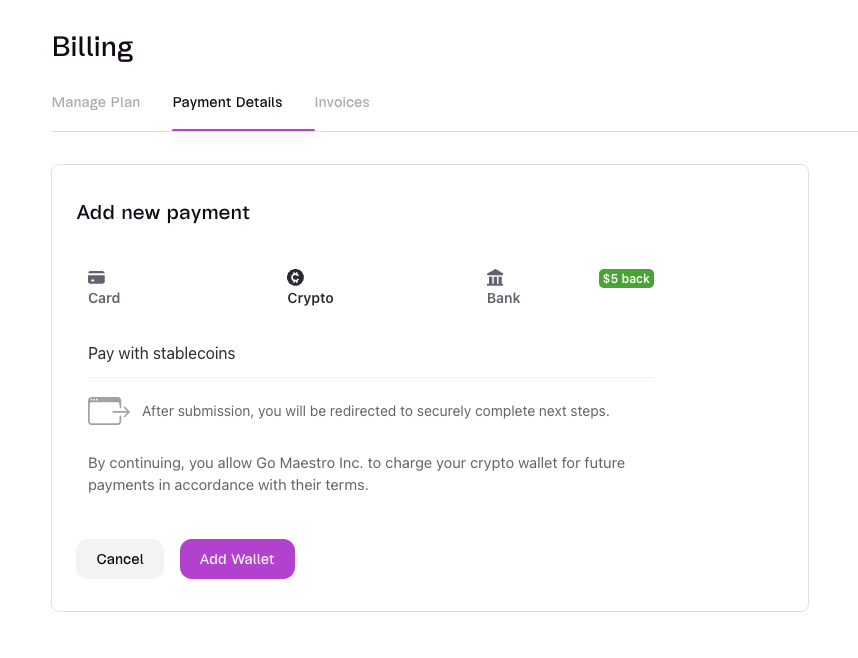
2. Select crypto and connect your wallet
Choose the crypto payment option and connect your wallet.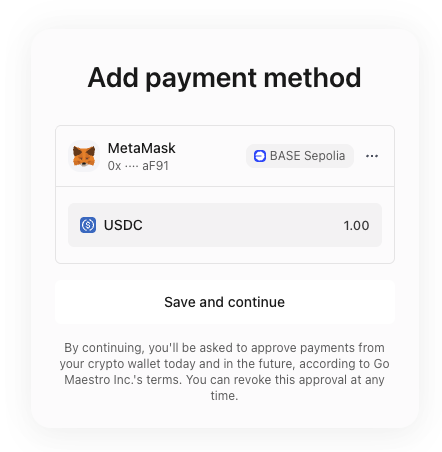
3. Set the wallet as default payment method
Set your connected crypto wallet as the default payment method for subscription charges.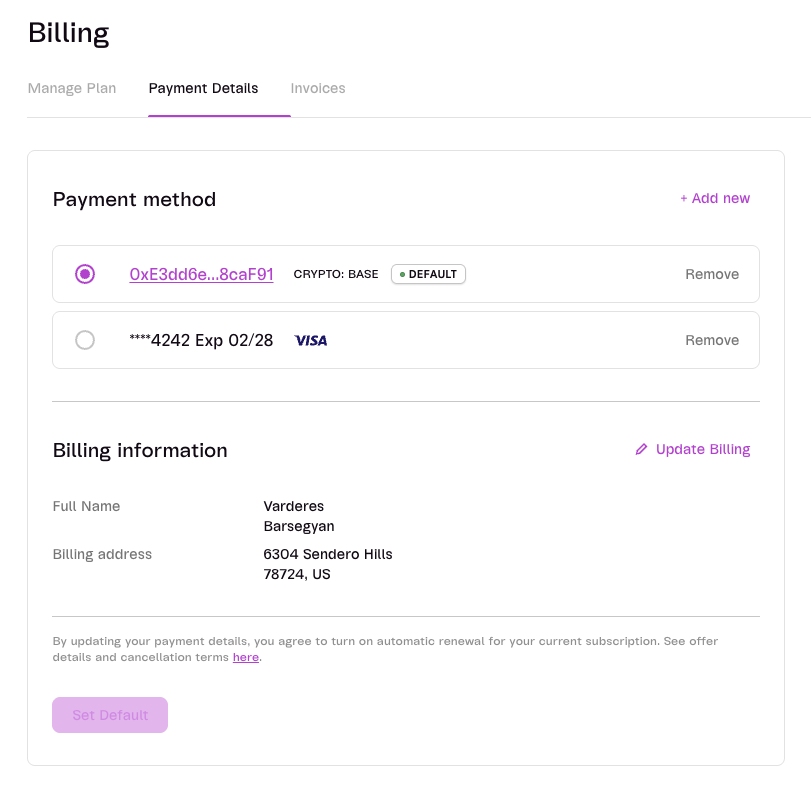
For billing support, contact Support.