> ## Documentation Index
> Fetch the complete documentation index at: https://docs.gomaestro.org/llms.txt
> Use this file to discover all available pages before exploring further.
# Stablecoin Payments
> Pay your Maestro subscription with stablecoins by connecting a wallet and setting it as your default payment method.
**Supported Networks**
* **Available now:** USDC on Base and Polygon
* **Coming soon:** USDC and USDT on Ethereum
***
## How to Set It Up
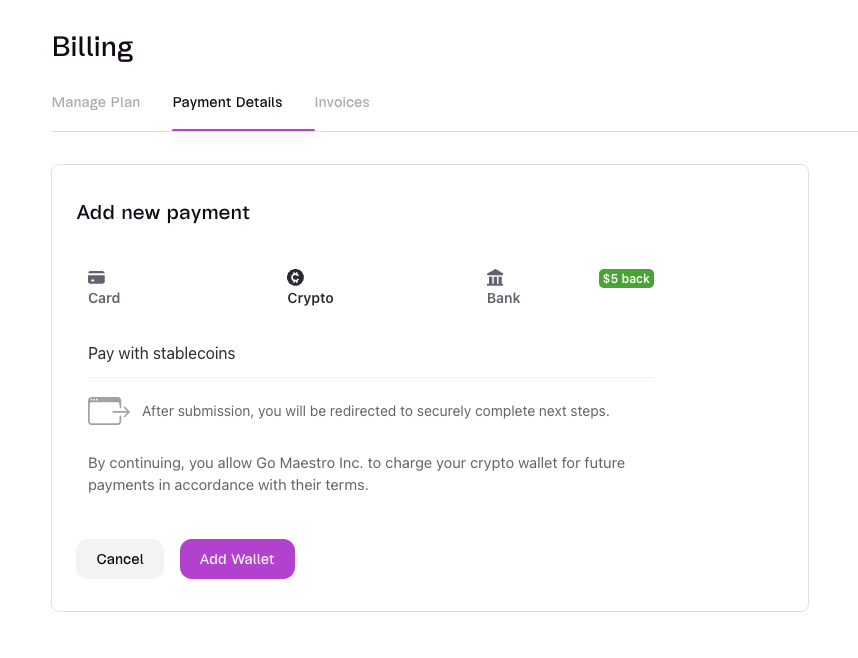
### 1. Open the billing payment section
Go to: Billing Payment Settings
 ***
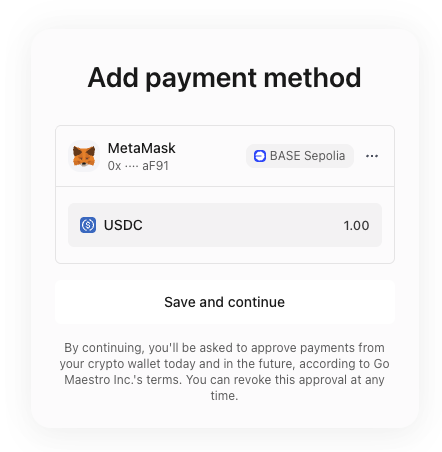
### 2. Select crypto and connect your wallet
Choose the crypto payment option and connect your wallet.
***
### 2. Select crypto and connect your wallet
Choose the crypto payment option and connect your wallet.
 ***
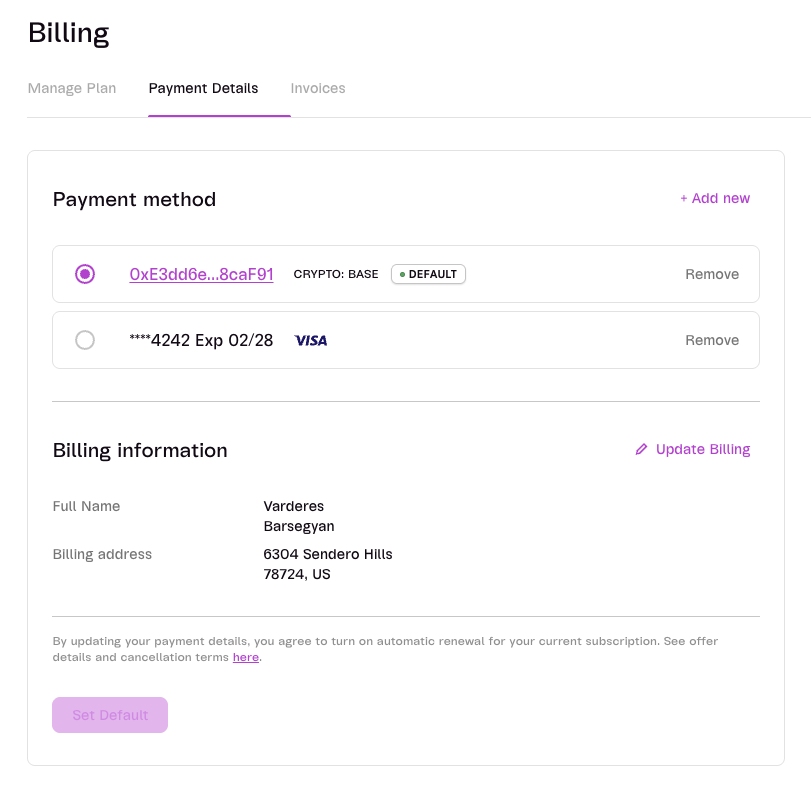
### 3. Set the wallet as default payment method
Set your connected crypto wallet as the default payment method for subscription charges.
***
### 3. Set the wallet as default payment method
Set your connected crypto wallet as the default payment method for subscription charges.
 **Recommendation**
USDC from your connected wallet will be automatically withdrawn at the end of your billing cycle.
We recommend using a dedicated wallet with enough USDC to cover recurring Maestro charges.
Regularly check this wallet and top up USDC to cover future payments. You can also use tools like [this low-balance alert](https://cryptocurrencyalerting.com/wallet-balance-alert.html?coin=USDC) to get notified when funds are running low.
***
For billing support, contact **Support**.
**Recommendation**
USDC from your connected wallet will be automatically withdrawn at the end of your billing cycle.
We recommend using a dedicated wallet with enough USDC to cover recurring Maestro charges.
Regularly check this wallet and top up USDC to cover future payments. You can also use tools like [this low-balance alert](https://cryptocurrencyalerting.com/wallet-balance-alert.html?coin=USDC) to get notified when funds are running low.
***
For billing support, contact **Support**.